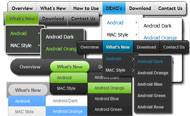
CSS Menu Sample
Overview
CSS3 is changing how we build websites. Even though many of us are still reluctant to start using CSS3 due to the lack of support in some browsers, there are those out there that are moving forward and doing some amazing stuff with its cool new features. No longer will we have to rely on so much JavaScript and images to create nice looking website elements such as buttons and menu navigations.
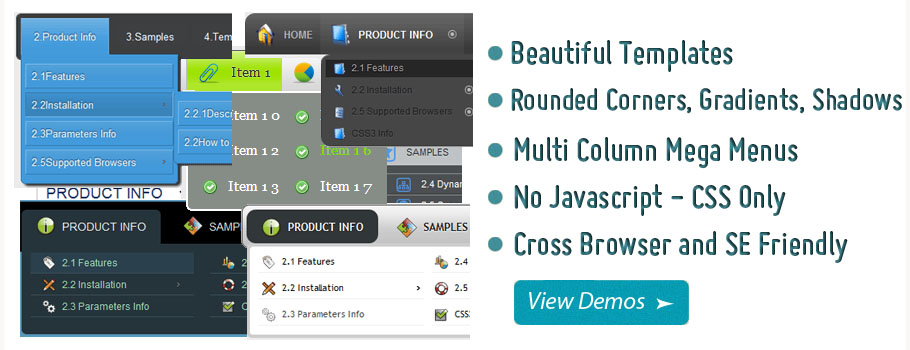
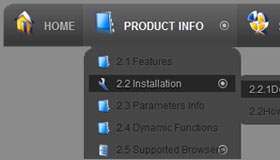
You can build a cool rounded navigation menu, with no images and no Javascript, and effectively make use of the new CSS3 properties border-radius and animation. This menu works perfectly well with Firefox, Opera, Chrome and Safari. The dropdown also works on non-CSS3 compitable browsers such as IE7+, but the rounded corners and shadow will not be rendered. CSS3 transitions could one day replace all the fancy jQuery animation tricks people use.
How to use
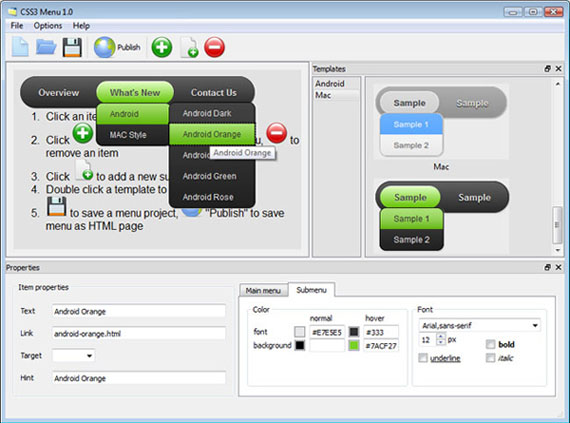
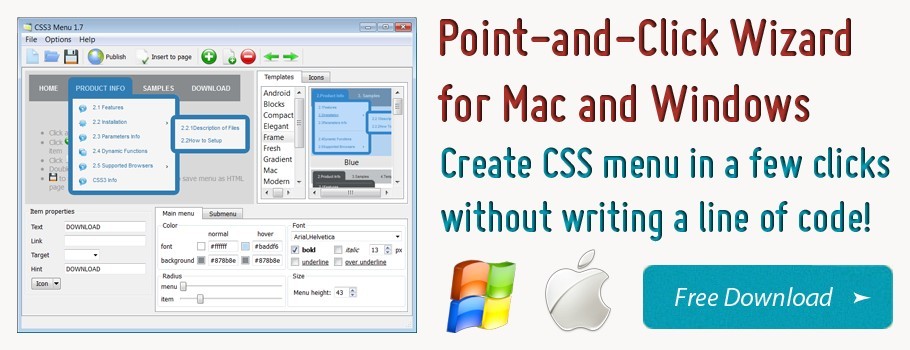
1) Open CSS Menu software and click "Add item"
and "Add submenu"
buttons situated on the CSS Menu Toolbar to create your menu. You can also use "Delete item"
to delete some buttons.
2) Use ready to use Templates. To do it just select theme you like in the "Templates" list. Double-click the theme you like to apply it.
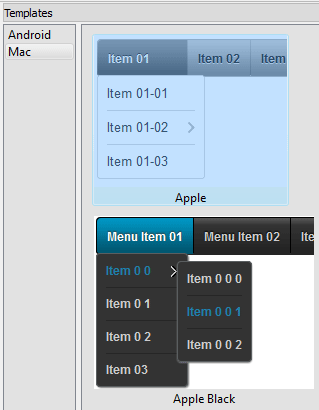
3) Adjust appearance of the menu.
3.1. Select item by clicking it and change button appearance for normal and hover states and set buttons link properties and link target attributes on the "Main menu" tab.
3.2. Select submenu's item by clicking it and change submenu's appearance for normal and hover states and set submenu's item link properties and link target attributes on the "Submenu" tab.
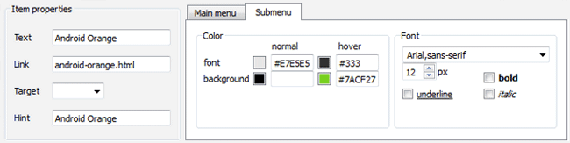
4) Save your menu.
4.1. Save your project file. To save project just click "Save"
button on the Toolbar or select "Save" or "Save As
" in the Main menu.
4.2. Publish your menu in the HTML format. To do it click "Publish"
button on the Toolbar.
Free Download
CSS3Menu is free for non-commercial use. If you want to use CSS3Menu on a school site, your non-commercial blog or non-profit organisation website, just download CSS3Menu and use it for free.
A license fee is required for commercial use. CSS3Menu Commercial Edition additionally provides an option to create multicolumn menus and includes extended sets of menu templates and icons. After you complete the payment via the secure form, you will receive a license key instantly by email that turns the CSS3Menu Free Edition into a Commercial one. You can select the most suitable payment method: credit card, bank transfer, check, PayPal etc.
Support
For troubleshooting, feature requests, and general help, contact Customer Support at

. Make sure to include details on your browser, operating system, CSS Menu version, link to your page.
easy css drop down menu
Templates
-
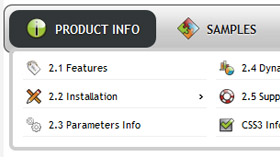
Fresh Seaweeds Menu

See live demoCss Templates With Submenu
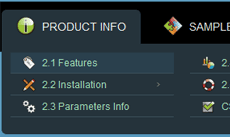
Simple Blue

See live demoDynamic Css Menu
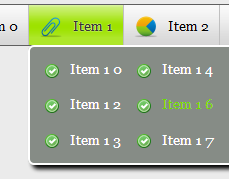
Neon Blue Menu

See live demoAnylink Css Menu
Screenshot
Features
-

Browser support
Supports all modern browsers (except IE6).

Small size
Immediate loading of the menu. Doesn't use additional files.
joomla css menu mit submenu vertikal
Contact us
-
For troubleshooting, feature requests and general help contact Customer Support at

. Make sure to include details on your browser, operating system, jQuery Carousel version and a link (or relevant code). nav menu bevel affect css
Feedback
-
* Your ROCK! Your totaly great, I downloaded the css Generator and made only a test with it. GREAT !!!
* First of all, I love you CSS3 Menu. I think it's beautiful! I purchased the CSS3 Menu "business edition" yesterday, and I'm very happy how easy it is to use. Found this to be one of the fastest ways to get a menu on the web. Thanks.
* I first must say that after a few days of lost time trying to figure out some other ways to do this stuff, landing on your website to find and use your great little utility for css3 menus was just wonderful! You have made a complicated task look quite easy... lots of work behind your took I'm sure.
Awards
Css Arrow Navigation Blogs
I can't find a way to turn the little arrow of the header buttons (top left/right) black instead of
Any information you receive via this site or the forum is not professional advice and is provided solely for educational and This work is licensed under a Creative Commons Attribution-Share Alike 3.0 Unported License. Validate XHTML or CSS
Can I replace the arrow gifs as textual representations with css? Re: Can I replace the arrow gifs as textual representations with css? by Martin Dougiamas - Thursday, 15 June
No Navigation Buttons
The Universal CSS Navigation Menu for Dreamweaver allows you to create all kind of great web site navigation menus: Cascading Drop down Menus, Mega Menus, Popup or Context Menus. The menus use great display animations, are CSS based and fully
XOOPS CMS is an extensible, OO (Object Oriented), easy to use dynamic web content management system (CMS) written in PHP. XOOPS is the ideal tool for developing small to large dynamic community websites, intra company portals, corporate portals,
[Archive] I have a couple CSS bugs in IE CSS CSS: #navigation {width:200px; border:1px solid silver; padding:20px;} #navigation li {list-style-image:url(images/arrow.png); margin:6px 0 10px 25px; font-size:20px; font-family:arial, verdana, helvetica, serif;
Another way to write these function would be to all supporting more that one arrow (eventually) I wanted more of the control to be in the CSS, as well -- I have several classes of . And I wanted more
Forum Button Creator. Make it easy for people to find their way around the site! Try Vista Buttons! Frontpage Navigation Bar Size Of Button
Navigation. CSS Forum. How to. Beginners CSS questions. Site checks. CSS Styling. CSS Layouts news and humor. RSS feeds. Link to Us. Rules & Privacy. Browser Support of CSS Properties
I have set up a basic example with navigational elements, the same as http://flowplayer.org/tools/demos/scrollable/navigation.htm. The rollover on arrow buttons doesn't work in this exemple on my IE7 (i mean the css backgroun-image doesn't move)
Pixelpost Forum > SUPPORT / INFORMATION > Pixelpost Help > Mouseover navigation? View Full Version : Mouseover navigation? jeffusion. 04-24-2008, 10:53 PM. I've seen many pixelpost sites w/ mouseover navigation (arrow pops up over image on left side to go to older image, or on right side for newer image)
General discussions, site bug reports and suggestions about the site ctrl + up arrow / down arrow / left arrow / right arrow. Re: keyboard navigation in the forum. Andrei Bozantan
:: Forum >> Version 2 >> Navigation ?? I am trying to use the arrow keys to navigate in the grid. After a click in one cell, the arrow keys are inactive, I cannot use them to navigate(focus is in input?). I have to make a click outside the columns
Green Menu Forum Buttons. Keep your Web site clean and focused with Javascript Menu Builder! Windows Vista Start Menu For Xp Select Image Form Radio Button Css. Green Button Navigation Set. Back Arrow Button Vista Style 9 - Homepage Buttons. Web Buttons Transparent Photoshop
Download Free Website Templates, Free Blogger Templates, Free CSS Templates, Free Joomla Templates, Free Wordpress Themes, Free Flash Templates and Other Free Dreamweaver Templates Design
Ajax Scroller - Change the navigation buttons with css Ajax Scroller - Change the navigation buttons with css " on: 14 April 2010, 17:42 " I was a tad frustrated last night trying to move the navigation arrow buttons (left.png, right.png) and signed up for this forum to find out if
Here you will find the deprecated Contao forum. Contao is a web-based Open Source CMS, formerly known as TYPOlight, which generates accessible websites. 'was wondering how to customize breadcrumb navigation. in a way that instead an ">" arrow element that is displayed in current and
OK I barely know css but I am using the turtle skin in the white format and the navigation buttons are all too white against the slideshow arrow. Maybe Laza will have some suggestions about how to improve the situation. That slideshow arrow, however, is a graphic element, so there's no CSS method
I am having a huge amount of trouble with changing my font size. yes it is in the same place lol. The scrollbars are working
Hi, I'm new. Been using FP since oh boy 10years !! Long time.Changing over to Expression Web, it's The site also uses a main css file to format fonts, headings etc. I want to change my Navigation from graphics to a plain list with CSS
Tweet Tweet!
See Also
Tab navigation has been one of the most fundamental element in any modern web structure. In order to make sure visitors can properly navigate through the
CSS is the most important part in modern standard based web design. Using CSS you can turn any web related nested stuff into a working design. There has been a, Daily Resource for Web Designers and Developers
support for keyboard-only navigation (CTRL + arrow keys) You can, for example, specify a class attribute for a particular link, and use that value for fine-grained CSS control
One of the most important features of your website will be the navigation menus and Buttons , not only do you want the menu/Button to look good but it must be functional and instinctive to use
Jump to navigation. Scalable CSS arrows. Sep 03 2005. Here's a seemingly simple problem that I'd been wrestling with on-and-off for a few weeks, and two fantastic solutions developed by the artist Anton Peck – on the greatest social network of them all, the Joshuaink mailing list. The problem
Want arrows denoting where pages are going to open on your page, or help marks appearing on certain links? Well, you're going to need a few of these classy pointer codes then, which are easy to get through CSS. Page Navigation: Changing the Cursor · Table of available cursors | Custom Cursors
Designers have came up with a lot of CSS powered navigation menu, links and button manipulation. [Horizontal CSS Menus] - Clean Arrow Underline Menu. This menu uses the nifty "CSS Triangles technique" to create a clean horizontal UL menu with a thick arrow border applied to the currently
Advanced CSS menus for professional web developers. Visual and API based JavaScript / CSS software. Download Now! Quickly design script enhanced pure CSS drop down, and tree style navigation systems in a full visual environment!
+108 Free CSS Menu Designs - Navigation Menu is one of the most important elements of a web designs. Content-Rich Website without usable navigation will be useless, and maybe these can increase the number of bounce rate, and it's really bad
All three create an unordered list within the slideshow - see below for instructions on styling navigation with CSS. slide - previous and next only apply to arrows and arrows+ navigation modes while active only applies to arrows+ and thumbnails
down.gif (drop down arrow image used). Note: Also included in the zip are slightly above ".gif" and ".css" files that create a different theme for the
We show you how you can collapse the body area of CSS tables, using a little JavaScript entire footer is effectively an active area), and the table body is shown; furthermore, the downwards-facing arrow changes to an upwards-facing one, in order to display what will happen to the table body when
Create css javascript gallery with navigation arrows, navigation dots and beautiful transition effects with easy! Html javascript gallery is a lightweight plugin which allows to create an javascript gallery jquery by writing just few lines of
How to use CSS only to change the appearance of the current state of a navigation bar
free website templates,free site designs, free web templates, free web designs FREE Templates in this section. Please browse from the list below; Designs that have the navigation bar to the right. Templates: Pages: 1 2 3 4 5 6 [>>] Canvass. 392.19Kb (1060 downloads) Free CSS Templates.org
Button is an esential part on web design, especialy if we have a deal with form. Styling the button is important stuff for better user experience. In this post, Tutorial – CSS Overlapping Arrow Buttons. I was recently asked to create arrow buttons for a step-through type of navigation. At
Css Downloads at Download That. Arrow-Bar v1. Arrow-Bar, Ball-Bar, Box-Over, Cara-Pic, Circle-U. Arrow-Bar v1.0 is an easy-to-use vertical navigation menu
All three create an unordered list within the slideshow - see below for instructions on styling navigation with CSS. to arrows and arrows+ navigation modes while active only applies to arrows+ and
Article that describes the CSS properties and rules that govern the colors in a web site / web page scrollbars. However, if you set the value for this property to a dark color, the scroll arrows might not be visible because they are displayed in black
Arrow Button Navigation Bar Iphone. Create an effective web site navigation with Javascript Menu Builder! Create Web Menus Buttons On
CSS Style Guide for OHSU's new Visual Identity Guidelines < ul> tags in the left navigation will automatically style in this way; this style gives flexibility if it becomes necessary to style a link in the left navigation without it being in a . a.arrow
In this tutorial I will show you how to create a stepped navigation with arrows using HTML and CSS which works in all major browsers. It is useful to show a user a stepped process such as a multi part form where there is more than one step that needs to be filled in. Difficulty:
Css Arrows. Generate Fancy CSS3 Dropdown Menus in Minutes! No JavaScript, No Images, No Flash : CSS Only! difference between css2 and css3 In this tutorial I will show you how to create a stepped navigation with arrows using HTML and CSS which works in all major browsers
One of the toughest tasks in the whole web development process of your web applications or web sites is the best navigation system
navigation bar Software - Free Download navigation bar - Top 4 Download - Free Download Software Arrow-Bar v1.0 provides a convenient way for visitors to navigate your site. menus rollovers rollover css navigation buttons
Posted on April 26, 2009, Filled under HTML & CSS, Bookmark it. Breadcrumbs are a form of website navigation that keep track on the path followed by a website visitor. breadcrumb-navigation-with-css-arrows.html. I wrote a guide on how to do css only arrow style breadcrumb navigation and thought
Did you know you can make triangles with pure CSS? It's pretty easy. You just make a block level element with zero width and height, a colored border on on They are fun for all kinds of things, like little arrow sticking out from speech bubbles, navigation pointers, and more
Overview
How to Use
Demos
Android
Android Dark
Android Orange
Android Blue
Android Green
Android Rose
Mac Style
Mac Grey
Mac Dark Green
Apple
Apple Black
Apple Blue
Blocks Style
Elegant Style
Fresh Style
Neon Style
Frame Style
Download


PRODUCT INFO
2.1 Features
2.2 Installation
2.3 Parameters Info
2.4 Dynamic Functions
2.5 Supported Browsers
Firefox
Internet Explorer
Opera
Safari
Google Chrome
Konqueror
CSS3 Info
SAMPLES
Android Template
Blocks Template
Elegant Template
Frame Template
Fresh Template
Mac Template
Neon Template
New Templates
DOWNLOAD