CSS Menu Sample
Overview
CSS3 is changing how we build websites. Even though many of us are still reluctant to start using CSS3 due to the lack of support in some browsers, there are those out there that are moving forward and doing some amazing stuff with its cool new features. No longer will we have to rely on so much JavaScript and images to create nice looking website elements such as buttons and menu navigations.
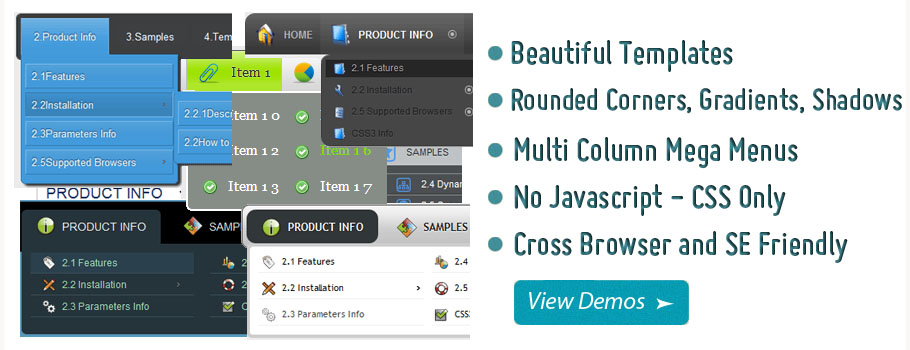
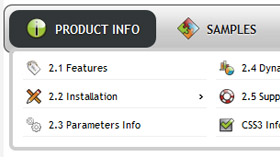
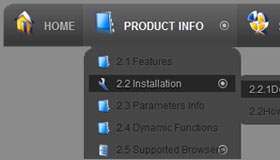
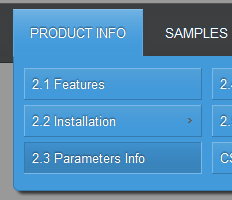
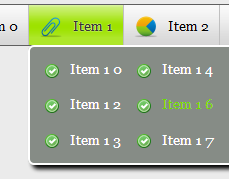
You can build a cool rounded navigation menu, with no images and no Javascript, and effectively make use of the new CSS3 properties border-radius and animation. This menu works perfectly well with Firefox, Opera, Chrome and Safari. The dropdown also works on non-CSS3 compitable browsers such as IE7+, but the rounded corners and shadow will not be rendered. CSS3 transitions could one day replace all the fancy jQuery animation tricks people use.
How to use
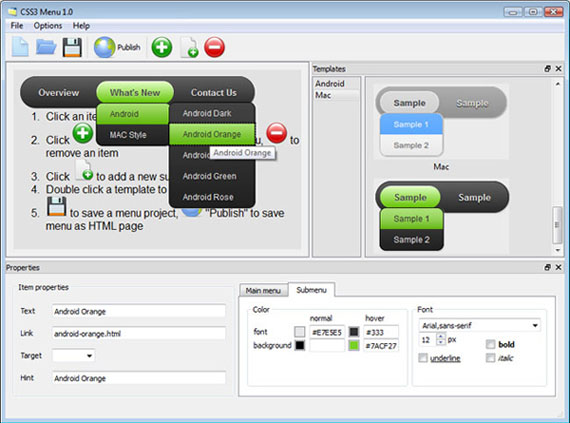
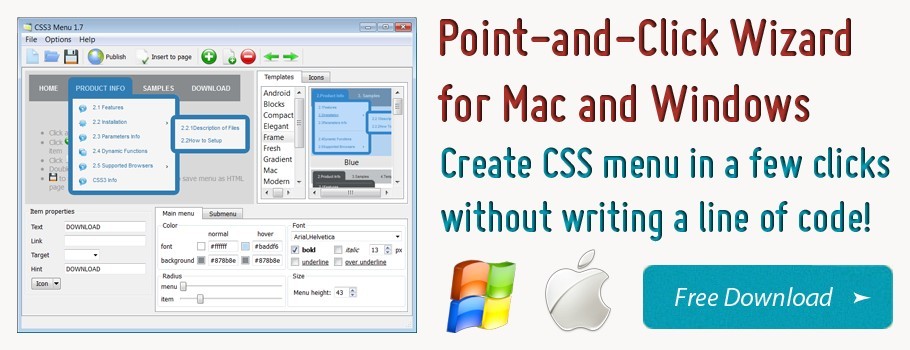
1) Open CSS Menu software and click "Add item"
and "Add submenu"
buttons situated on the CSS Menu Toolbar to create your menu. You can also use "Delete item"
to delete some buttons.
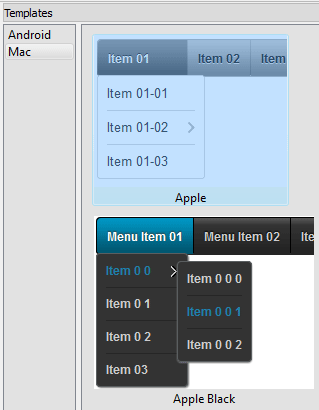
2) Use ready to use Templates. To do it just select theme you like in the "Templates" list. Double-click the theme you like to apply it.
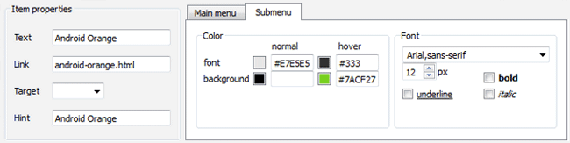
3) Adjust appearance of the menu.
3.1. Select item by clicking it and change button appearance for normal and hover states and set buttons link properties and link target attributes on the "Main menu" tab.
3.2. Select submenu's item by clicking it and change submenu's appearance for normal and hover states and set submenu's item link properties and link target attributes on the "Submenu" tab.
4) Save your menu.
4.1. Save your project file. To save project just click "Save"
button on the Toolbar or select "Save" or "Save As
" in the Main menu.
4.2. Publish your menu in the HTML format. To do it click "Publish"
button on the Toolbar.
Free Download
CSS3Menu is free for non-commercial use. If you want to use CSS3Menu on a school site, your non-commercial blog or non-profit organisation website, just download CSS3Menu and use it for free.
A license fee is required for commercial use. CSS3Menu Commercial Edition additionally provides an option to create multicolumn menus and includes extended sets of menu templates and icons. After you complete the payment via the secure form, you will receive a license key instantly by email that turns the CSS3Menu Free Edition into a Commercial one. You can select the most suitable payment method: credit card, bank transfer, check, PayPal etc.
Support
For troubleshooting, feature requests, and general help, contact Customer Support at

. Make sure to include details on your browser, operating system, CSS Menu version, link to your page.
html5 submenu javascript css example
Templates
-
Neon Blue Menu

See live demoCss Horizontal Menu Bar
Frame Dark Grey

See live demoCss Menu Ngang
Mulicolumn Blue Menu

See live demoCss Vertical Submenu
Screenshot
Features
-

SEO friendly
Search engines and text-only browsers friendly.

No Javascript is required
Works in browsers with disabled Javascript or if a browser has no Javascript support at all.
multilayer css menus
Contact us
-
For troubleshooting, feature requests and general help contact Customer Support at

. Make sure to include details on your browser, operating system, jQuery Carousel version and a link (or relevant code). css dropdown menu asp net c
Feedback
-
* Let me start just congratulating you, good job, really. I am trying out the free version before I buy it. It works great.
* Thank you for this great product! I have been searching for this for ages. You have made here a really nice, nice & good programm.
* I downloaded your free version to see if I could get it to work with my website, and I am almost there (I have been looking for something like this for ages)..
Awards
Css Overlapping Tabs Menu Blogs
renderer - programatic construction of HTML code - such as printing of headers or tabs - a lot of PHP logic is included to modify css for forum it can be done with css file inside mod/forum folder or custom
[Archive] Add your URLs to all 3 Directories. Link-Back NOT Required eSyndiCat Marketplace / Link Exchange the width helped with the menu tabs but had to change style.css from, width: 98%; to width: 980px; to keep the rest of the page in tact
This style is not intended for loads of main menu items. It looks best with a small number of menu items. Beta phase: You can now start testing the new style! We would be glad if you post bugs and/or suggestions and other things that catch your eye or be worth telling us in the forum
CSS is not working in IE6, but working fine in IE7. html file with multiple form elements Easy CSS menu on the fly. accessing database using javascript. news Ticker pauses when
Menu items for 'Move to front - Move to back - Move forward - Move back - Insert Grouping CSS into header or external file - Round corders and look
Hi all, I am not being able to get FUA to work. In configuration I have it set for reverse in articles, categories and menus. I have nothing checked in the other tabs. I have 3 user to include the css-class-suffix. Hide menu-items in other menu-modules then the FUA menu-module. assign users
Admin CP top tabs overlapping when the screen resolution is low; Admin Menu first level pages; [logic dll] Logic in place to prevent accidentally delete the trailing slash in the forum directory
jQuery Support Portal Simple horizontal navigation menu with extra links. 1. asked by stidis in Using jQuery • 4 months ago. jQuery UI Sortable overlapping with css-overflow flickering. 1. reported by peterthegreat86 in Using jQuery UI • 5 months ago
[Archive] For discussion of templates for the Mambo Open Source content management system. the menu column? Water and Stone template background. header Image in WaterandStone template. Change Banner position on Water & Stone. How to change color of right column in W&S template? Mambo CSS/HTML problems
menu just with links (not a "list menu") 2. 20 weeks 5 days ago. by pepitapepona. 20 weeks 4 New forum topics. Module available to only load Blocks once they come within view? pre
[Archive] Page 58 Discussion and technical support relating to Cascading Style Sheets. CSS/Javascript - tabs [RESOLVED] inconsistencies in appearance between FF and IE. white space. Prevent div overlapping text. Adjusting distance for or [RESOLVED] IE cutting off text
When someting is selected, adding a CSS or HTML comment puts the text within the comment. The shortcut in View menu for calling Colors dialog box is now correct (thanks to arsan)
Ultimate Web Site Drop Down Menu Forum > Web Development > CSS and HTML DIV overlapping link. So I have a couple tabs hanging down from the top of a page and top-most div has some javascript that makes it slide down to reveal more content once clicked
It seems 'div container' is stubborn to alter with css by Mobilizing css of my tabs by SuperMAG. 2010-04-09 17:55:35 by SuperMAG. 1. 668. This is more of a CSS
Slide, Menu, and Content Overlapping - JoomlaWorks Community Forum
Phoca.cz - Building Web I've tried making changes through CSS but it will not fix the problem. It looks as if there is a lot of solutions out there regarding the superfish menu jQuery conflicts in Joomla, but they are beyond me (I have the jQuery set to "noConflicts"
Forum discussions about CSS layouts and style issues for templates and themes
I work with dynamic content using tabs. It is rather frustrating that IE8 opens an the screen after making a selection within the drop-down menu overlapping the accordion
Maxthon Forum This skin is based on Maxthon3 Tuning 0.6.110610, great thanx for GuguX. Right click on Tuning icon opens main menu. Screenshot: skin: 3. blue arrow: It would be possible to create separation between tabs? 4. red arrow: It would be possible to soften the background color to improve
About CSS If people open the particular Window menu for the top routing bar you will notice a all the list the windows which have been currently open up within of which application, like another word of mouth processing record in OpenOffice, or perhaps another exploring window around Firefox
I'm kind of new to CSS but am trying to forge my way through it - so I've been testing it with a recent site, Instead, I'd love for the line to be aligned at the bottom of the banner with the tabs overlapping the banner just a little
[Archive] Page 5 Need help with HTML? This is the place for you. overlapping divs. is a forum in html? please please help A.S.A.P. I need help with the feedback forms and such
http://buddypress.org/community/groups/how-to-and-troubleshooting/forum/topic/make-drop-down-menu-links-open-in-new-page/ There are also several bbPress forum avatar forums members error group blog registration activity stream wordpress admin bar login css blogs themes
Hello, does anyone know how to tweek the code to get the text in the navigation tabs and drop down menus to align in the center of the tab? The text in the nav
Tweet Tweet!
See Also
In this tutorial you're going to learn to create a simple, yet cool menu with overlapping tabs. I've kept it simple not because of the lack of time or inspiration, but in order for you to be able to improve on it and modify it in any way you need
Main navigation menu is that part of a website design that makes the whole site look lively and complete. But the most common type of navigation menu style still being used a lot is the tabbed navigation menu. Here is a tutorial on how to code an
Tabs Css. Improve Your web site Usability with Javascript Menu Builder! Buttons And Icons For Websites
Go Back. Demo for CSS Overlapping Tabs Menu
CSS Overlapping Tabs Menu. Posted in CSS on February 18, 2009 – 12:45 In this tutorial you're going to learn to create a simple, yet cool menu with overlapping
Css Menu Overlap. Make Fancy CSS3 Drop Down Menus in a Few Clicks! No JavaScript, No Images, No Flash : CSS Only! css button control
An attractive, accessible menu in CSS? Yes, it *can* be done! Trenton proves the point with his step-by-step guide to building an accessible tabbed navigation system with rounded corners in CSS
CSS Tabs – The Ultimate Tab Menus. Part of designing a WordPress Theme is the decision on how to structure the A favorite style is the CSS Tab Menu, a drop down and/or highlighted graphically styled menu that uses only CSS or CSS with a little JavaScript
raw CSS examples ::You are here: Home > Overlapping Tabs. Overlapping Rollover Tabs with Hover. This is about as complicated as you can make it but the effect is well worth the extra effort. This is an example of the ubiquitous tab layout but with overlapping edges to the tabs
CSS: Tabs are great They're user friendly because they're like the real world, and they can add a great 3D element to a design. Overlapping tabs present a special challenge to code, but with some careful planning and clever images, well have some
As with the previous menu this one has the ability to click any of the tabs and reload the page with that tab shown selected. The area of each tab is bounded by the white border and hover will only work within this border (including the 45 degree slope and any overlap)
12 Old and New CSS Menu Techniques. A navigation menu, something unmissable in all websites, one of the most important factor besides content. You can have a simple navigation or a very intricate one, design and code wise. Once I using CSS & jQuery. CSS Overlapping Tabs Menu. CSS Sprite Navigation
CSS is the best language for stylish of the web page and jQuery is used to give the wow factor to that stylish web design. Navigation Menu is one of the most important part of the web designing. Today in this post I am going to create a list of
Overlapping horizontal tabs. Author: Dynamic Drive. Using relative positioning and negative margins, this CSS code creates "overlapping" horizontal tabs that each snug up and slightly overlaps the tab to the left of it. There is no mistaking the "selected" tab, with its raised look
Description : You will learn how to use PHP to control CSS styles to highlight the tab or hit area of a html menu with styles controlled by CSS. simple, yet cool menu with overlapping tabs, that is easily
Create Tabs In Css. Javascript Menu Builder. The most powerful DHTML Menu system on the Web. In this tutorial you're going to learn to create a simple, yet cool menu with overlapping tabs
Another nice web menu that I found on tutorialsphere.com. It's CSS overlapping tabs menu, I really like this menu, it's beautiful and useful. They're using this
Overlapping CSS Menu | In this CSS tutorial you're going to learn to create a simple, yet cool menu with overlapping tabs
Tabs are great – They're user-friendly because they're like the real world, and they can add a great 3D element to a design. Overlapping tabs present a special challenge to code, but with some careful planning and clever images, we'll have some
A tutorial showing how overlapping tabbed navigation is possible in CSS and can be cross-browser compatible, accessible and javascript free
Create fast and straightforward css navigation for your website! Flash Layer Overlap Menu. Sometimes pages have objects such as select boxes, flash objects,
The normal overlapping tabs don't actually overlap until you highlight your menu with a current tab. Unlike the Sliding Doors of CSS, overlapping tabs has to be hard-coded to allow room for unique classes and IDs like first, last, firstcurrent,
Overview
How to Use
Demos
Android
Android Dark
Android Orange
Android Blue
Android Green
Android Rose
Mac Style
Mac Grey
Mac Dark Green
Apple
Apple Black
Apple Blue
Blocks Style
Elegant Style
Fresh Style
Neon Style
Frame Style
Download


Item 0
Item 1
Item 1 0
Item 2
Item 3