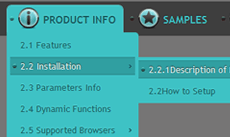
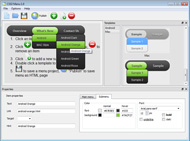
CSS Menu Sample
Overview
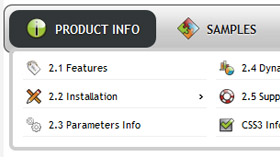
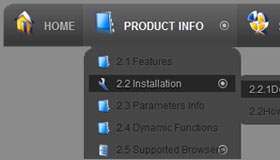
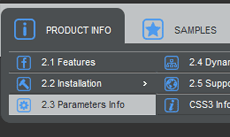
CSS3 is changing how we build websites. Even though many of us are still reluctant to start using CSS3 due to the lack of support in some browsers, there are those out there that are moving forward and doing some amazing stuff with its cool new features. No longer will we have to rely on so much JavaScript and images to create nice looking website elements such as buttons and menu navigations.
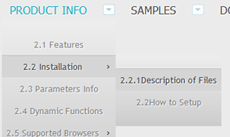
You can build a cool rounded navigation menu, with no images and no Javascript, and effectively make use of the new CSS3 properties border-radius and animation. This menu works perfectly well with Firefox, Opera, Chrome and Safari. The dropdown also works on non-CSS3 compitable browsers such as IE7+, but the rounded corners and shadow will not be rendered. CSS3 transitions could one day replace all the fancy jQuery animation tricks people use.
How to use
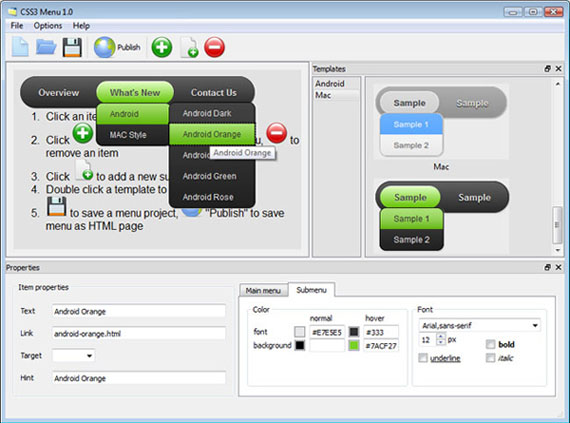
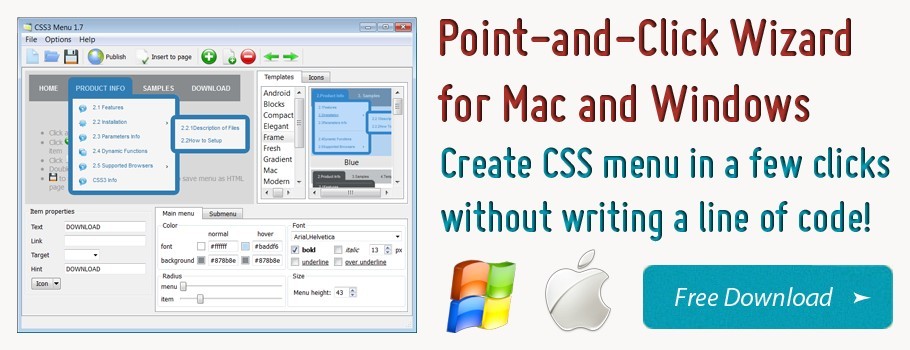
1) Open CSS Menu software and click "Add item"
and "Add submenu"
buttons situated on the CSS Menu Toolbar to create your menu. You can also use "Delete item"
to delete some buttons.
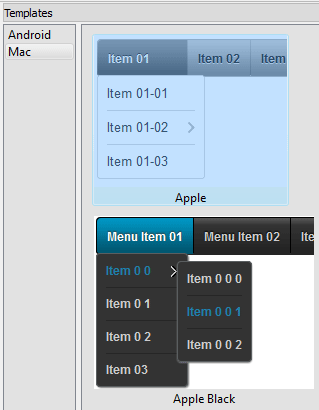
2) Use ready to use Templates. To do it just select theme you like in the "Templates" list. Double-click the theme you like to apply it.
3) Adjust appearance of the menu.
3.1. Select item by clicking it and change button appearance for normal and hover states and set buttons link properties and link target attributes on the "Main menu" tab.
3.2. Select submenu's item by clicking it and change submenu's appearance for normal and hover states and set submenu's item link properties and link target attributes on the "Submenu" tab.
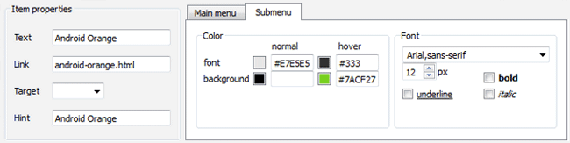
4) Save your menu.
4.1. Save your project file. To save project just click "Save"
button on the Toolbar or select "Save" or "Save As
" in the Main menu.
4.2. Publish your menu in the HTML format. To do it click "Publish"
button on the Toolbar.
Free Download
CSS3Menu is free for non-commercial use. If you want to use CSS3Menu on a school site, your non-commercial blog or non-profit organisation website, just download CSS3Menu and use it for free.
A license fee is required for commercial use. CSS3Menu Commercial Edition additionally provides an option to create multicolumn menus and includes extended sets of menu templates and icons. After you complete the payment via the secure form, you will receive a license key instantly by email that turns the CSS3Menu Free Edition into a Commercial one. You can select the most suitable payment method: credit card, bank transfer, check, PayPal etc.
Support
For troubleshooting, feature requests, and general help, contact Customer Support at

. Make sure to include details on your browser, operating system, CSS Menu version, link to your page.
css navigation tutorial support ie
Templates
-
Point Aquamarine

See live demoAwesome Css Menu
Fresh Seaweeds Menu

See live demoDrupal Nice Menu Css
Mega Menu

See live demoVertical Css Menu Submenu
Screenshot
Features
-

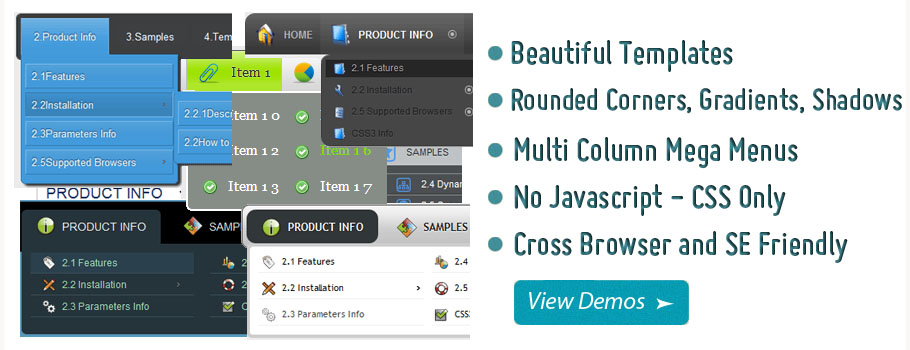
Cool CSS3 properties
Multi-level dropdown menu is created using border-radius, box-shadow, and text-shadow.
Opacity, backround and font colors, linear and radial gradients are also supported.
Browser support
Supports all modern browsers (except IE6).
free css horizontal menu drop line
Contact us
-
For troubleshooting, feature requests and general help contact Customer Support at

. Make sure to include details on your browser, operating system, jQuery Carousel version and a link (or relevant code). comprehensive drop menu css
Feedback
-
* I just tried the application, It is wonderful idea. Like you said in the website "few clicks without writing a single line of code" because most of the people is not web designers".
* Your ROCK! Your totaly great, I downloaded the css Generator and made only a test with it. GREAT !!!
Awards
Joomla Css Menu Blogs
[Archive] Joomla / CSS - Main Menu No Show Content Management Systems
Phoca.cz - Building Web Forum. Skip to content. Board index " Joomla! Components " Phoca Restaurant Menu. Change font size. Print view. RSS. FAQ. CSS - Restaurant Menu Pro. 2 posts • Page 1 of 1. CSS - Restaurant Menu Pro. by supert on Sun Nov 29, 2009 4:37 pm
.. few css informations (h2 color, line height, icon) - Templates - Bolt - Alledia.com Joomla Templates Forum. few css informations (h2 color, line height, icon) - Templates - Bolt - Alledia.com Joomla Templates Forum. few css informations (h2
Hi all, I'm created a newsletter for a customer using Acajoom - so far so good, however the client has asked that all the links within the newsletter be styled using a specific colou
Drop Down CSS Menu Drops Behind JoomlaWorks Image Rotator In IE - JoomlaWorks Community Forum touches on one of two Joomla installs on a domain (http://rollx.rolldesign.com/) and am having issues with the Suckerfish Menu in the Rocket Theme Colormatic Template
Post -Anone elsehave problem with css menu and jReviews on IE?- in the JReviews forums. JReviews is a review system for anyone who needs a powerful review site or advanced content management capabilities also known as Content Construction Kit
Hello I am using a module mainmenu on position left1, the suffix _menu. My menu is configured as a legacy-vertical, I need to change the color of the parent items for red or bold fon
file that contains the menu bar - Joomla! Components - RSForm! - RSJoomla! Forum menu bar which contains. Manage forms | Manage submissions | Restore | Update. can some one tell me which file contain this, because there is a purpose to this madness I am trying to do. Pls do not suggest CSS
Joomla! extensions & websites. Development, support & consultancy by Peter van Westen. Joomla! extensions: Add to Menu, AdminBar Docker, Advanced Module Manager, Articles Anywhere, Better Preview, Cache Cleaner, CDN for Joomla!, Content Templater
ID-Joomla, Komunitas Joomla Indonesia. [SOLVED]: class CSS untuk active menu di Joomla - Web Development - Seputar Web Design - ID-Joomla. Re:[ASK]: class CSS untuk active menu di Joomla - Web Development - Seputar Web Design - ID-Joomla. Re:[ASK
Joomla! Discussion Forums
Menu link to home page loses CSS on multi-language site
hi i used my joomla css and i have some errors. i need ur helps! i want to edit top menu tab, they can't appear like the normal kunena tab. how can i edit them? OR how can i move the TOPIC: help me edit top menu of Kunena & joomla menu on header of forum
Joomla Templates and Joomla Extensions. Make Joomla Site in minutes. Joomla software from Hot Joomla template club
Free Joomla Templates, Free Joomla Extensions and much more. UJ_realestate IE7 CSS issue - General - Templates - Ulti Joomla Forum. Re:UJ_realestate as you can see the top menu gets pushed over to the right. i am a novice with CSS and attempted to fix the problem but i couldn't get any closer to
I want to use the light profile as my default, but I want to change the text color in the mega menu. Which css file do I use to do that
An interview with the Ninjaboard devs on design a menu link for Ninjaboard, and a new settings profile to configure chameleon and use overrides where you need more than Chameleon has to offer (like when you need forum specific markup)
I have a question about setting up default menuid's for links. In 1.5 it was not difficult at all to state which menu item id you wanted to have "highlighted" as your default for any given menu item.Is this possible in j1.6 with the bridge?
I have searched through the CSS files included with the Demi template but cannot find how to change the font color and size of the text in the top menu (user3). When I view the sourc
CSS for Menu not applied for new entries. This forum includes all questions and reports related the Joom!Fish core extension. This includes all related and with the main package distributed extensions such as the JFRounter, Admin Translation Module, Search Plugins or the Language Selection Module
Hello i have made a core improvement for this, it includes the titletag modification to a menu-item. Hello i have made a core improvement for this, it includes the titletag modification to a menu-item
Joomla Tags Support Forum::CssJsCompress::Superfish Menu Not Working
Tweet Tweet!
top_web_tipps: Get A Great CSS3 Mega Menu Joomla Module. Without Javascript. Just CSS - http://t.co/SEXF12W #joomla #menue #css3 #sponsor
CSS_Menu: Css mobile menu how to override main site menu with mobile site menu I have set up my mobile joomla site but t... http://t.co/vcIl1To
cssnavigation: Css drop down menu Re:CSS help for dropdown menu - Alledia.com Joomla Templates .. CSS help for ul dropdown me... http://t.co/XguZfOX
DropDownMenu: Dropdown menu templates Re:CSS help for dropdown menu - Alledia.com Joomla Templates .. CSS help for dropdown ... http://t.co/W3e8t1g
rabbit_jscript: Joomla JS Menu Repair (CSS Edit) - at http://t.co/EzkV7Bs Hi, I have... #freelance #Web Development #Web Programming
See Also
SB Menu is a simple, easy-to-use and flexible module for the famous content management system Joomla
Welcome to Joomla CSS Zone! We are the premier site on the Internet for Joomla CSS , Joomla CSS Gear and Joomla CSS Information. We are completely free and will stay that way. There are some great
Regarding the menus, does every Joomla site have the same arrangement of divs, IDs and tags I'd reference via CSS? I've looked around to reverse engineer something but their CSS is divided among 4 separate css files and I'm left guessing what is custom to the template and what is from Joomla
Top 10 websites about Joomla CSS, with user reviews and ratings CSS Navigation, CSS Menus, CSS Tutorials, Menu, Joomla Tutorials, CSS. Top Sites about: Joomla CSS. 1. Listamatic: one list, many options - Using CSS and a simple list to create radically different list options
Well, there are a number of techniques you can use with CSS to get more visually attractive menus, all of them use unordered lists (bulleted lists to you and me) to create the menu. LetÂ's look at a few, weÂ'll start with a drop down menu. A few
This tutorial will show you how to create drop-down menus in your Joomla website using the Extended Menu extension. You can use different CSS to achieve the looks you want for your menus
Home Joomla Tutorials How to stylize a Joomla menu button with CSS The second way you can customize a Joomla using CSS is to "play" with the mainlevel class, which is by default given to Joomla menu items
will be hard for us to do styling in Joomla!. That's why we use this because it saves us time to do some. individual styling rather find it on your own inside the template.css file and modify it. You save a lot of time by adding a menu tab. Select Menu Manager. Then click Joomla! Overview. 3. Type "
Joomla CSS Guide provides free resources on joomla templates css
If you are using the Bulletproof Templates blank skeleton template, the file menu.css contains the styles you need for a drop down nested list. Once the CSS styles have been added, log into Joomla Admin and load the module used for
Suckerfish Combined with the Default Joomla! Menu Module. The second approach is to implement a Drop Down menu using the mod_mainmenu module that comes with Joomal 1.5. I've played around with the "suckerfish" and CSS to make this work. This work perfectly in IE 7 as well as Netscape
Setting new standards in design with dynamic menu effects, JA's Slideshow 3, 5 color options and multiple module layout options - JA Blaze combines the power of Joomla CMS with the dynamic creative content control of K2 4 Menu options: JA Split, JA Css, JA Dropline & JA Mega menu
Posts filed under Joomla' Problem Solved – Suckerfish Dropdown Menu won't enable. Goto Module Manager and create a new menu and in parameter select the menu name to be shown in the "hornav" position (Eg: Main Menu). > Select "No" for the module "Show Title"
Joomla CSS, your source for CSS styles. You find most styles for Joomla 1.5 and Joomla 1.6 on this website. You can find examples of submenus like a dropdown, fly-out or klikmenu. Tutorial for building your own template. Information and tools
this parameter applies for all navigation systems: CSS Menu, Moo Menu, Split Menu, Dropline Menu and Mega Menu. this option will define the menu item behavior as a regular Joomla!
The not-so-right way to create a horizontal menu As you probably guessed, vertical is not one of the 2 choices of menu style that will enable you to create a horizontal menu. (Technically, you probably could create a horizontal menu with this
Joomla! Extension Details VM CSS Menu Non-Commercial 0 reviews Publish on: 2010-01-14 Download | Support | Document | Demo | JED What it is: Render
Joomla Page Editing? Posted by admin on Jan 20, 2010. How do I edit the Joomla pages that are on the default template? I am aware of the admin control panel, but I dont know how to edit all the other pages like the home page. Are there separate menus?
I'm not going to argue this is the best way but the simplest when using the CMS package Joomla. CSS Menu Styles. Open up the CSS file for the specific Joomla template you are using and add the following (because my menu is in
Joomla!.de. Lxmenu Error: Either the menu does not have any menu items or all menu items are unpublished! Fallback menu based on pure css supporting popdown sub menu items (when javascript disabled) (new)
I am unable to get the CSS to work with aqualine as per the demo site on the left menus. I see that others have asked about this before but no-one (goto Joomla Backend > Extensions > Module Manager > open the mod_mainmenu called Main Menu ) Menu Style:
Dominion, the January 2010 Club Template release, starts the new decade bustling with new and awesome features. Gantry 2.0, the next generation of the Gantry Framework, makes it debut with the January release, bringing with it, menu item
Joomla! - the dynamic portal engine and content management system
Cssmenu is a css-driven, javascript-free navigation menu system.Features: * Create floating menus from native Joomla! menus. * Scriptless design prevents conflicts between javascript libraries. * Allows for context-sensitive positioning
Overview
How to Use
Demos
Android
Android Dark
Android Orange
Android Blue
Android Green
Android Rose
Mac Style
Mac Grey
Mac Dark Green
Apple
Apple Black
Apple Blue
Blocks Style
Elegant Style
Fresh Style
Neon Style
Frame Style
Download


PRODUCT INFO
2.1 Features
2.2 Installation
2.3 Parameters Info
2.4 Dynamic Functions
2.5 Supported Browsers
CSS3 Info
SAMPLES
Android Template
Blocks Template
DOWNLOAD